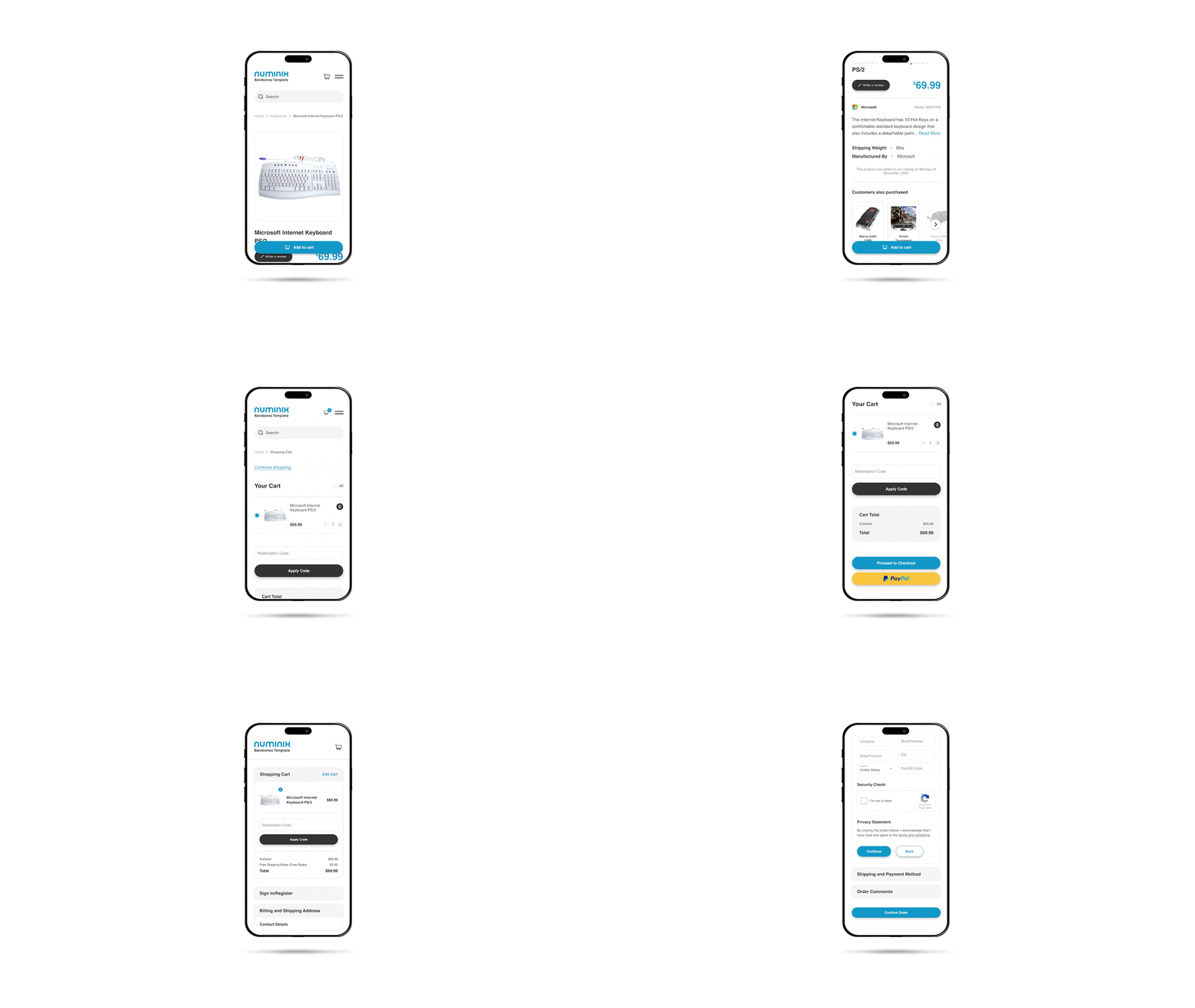







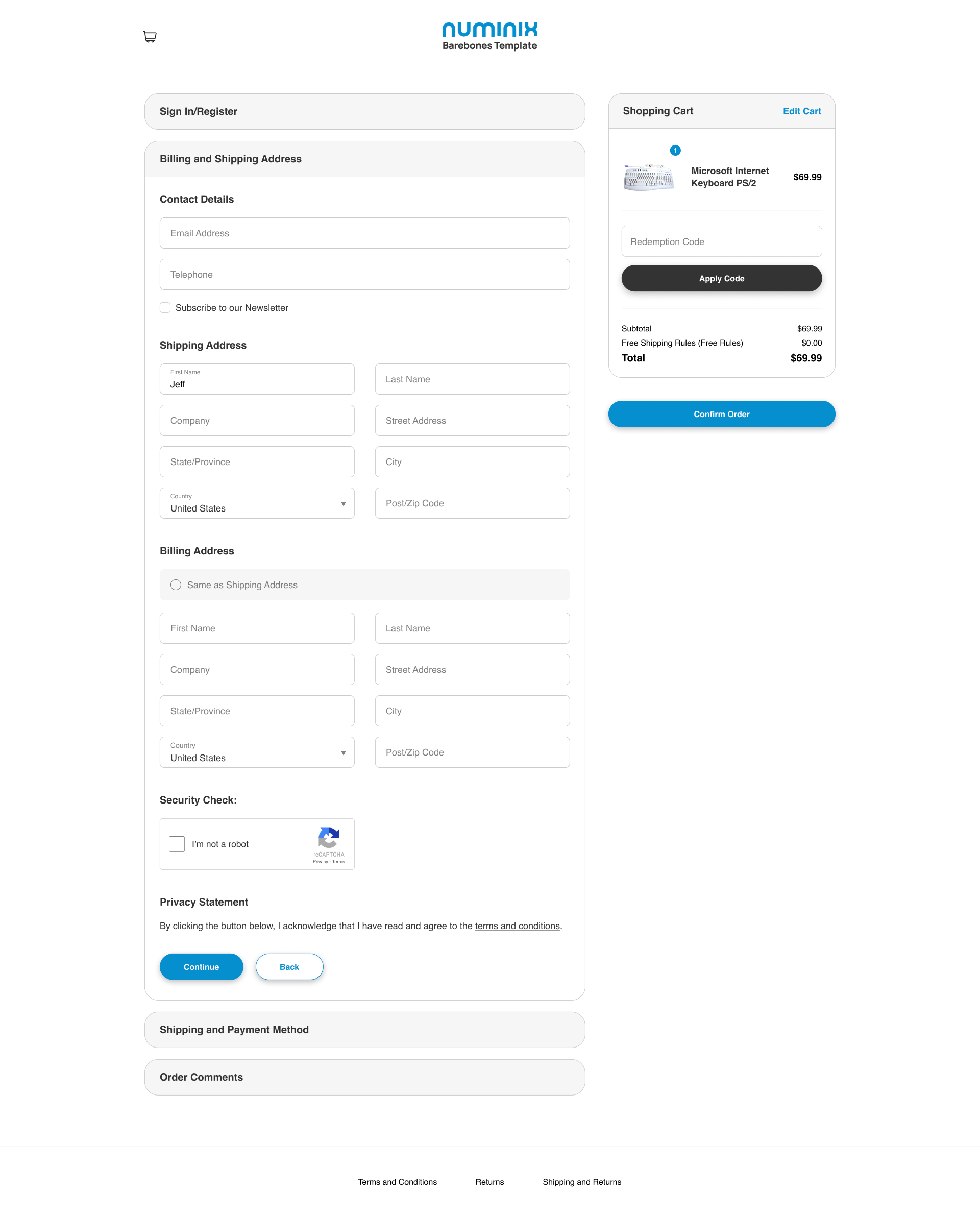
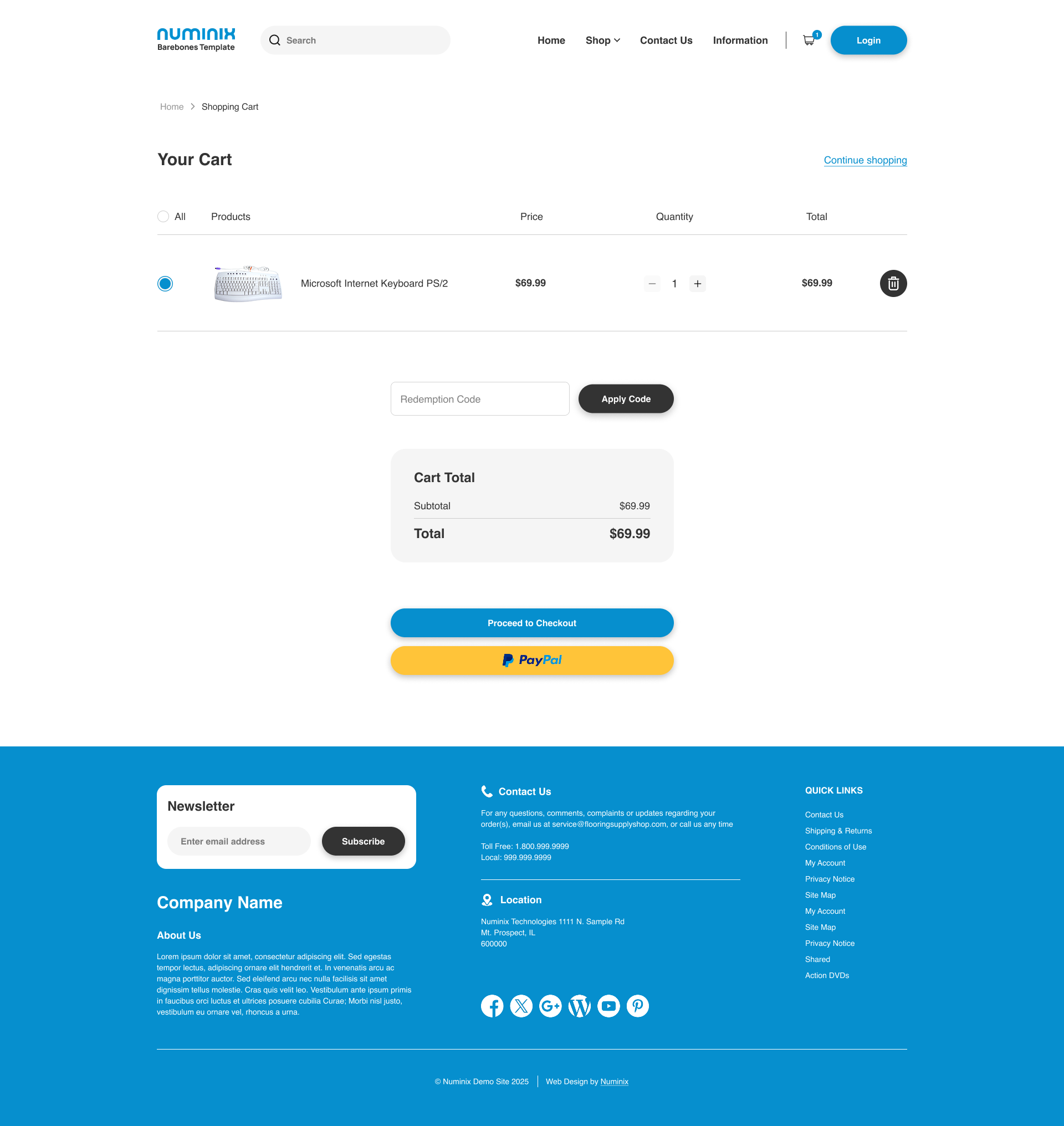
One Page ResponsiveOPRC product hero heading Checkout for Zen Cart

Enjoy a faster, smoother shopping experience with our modern, mobile-friendly checkout, making buying effortless and getting you what you love without the hassle.

OPRC product hero image

One Page Responsive Checkout for Zen Cart

4 reviews
$162.00 USD

Platform

Zen Cart

Required Install

Optional Services
We'll customize the CSS to ensure the colors and styling of elements (input fields, buttons, labels, etc) match the styling of the rest of your website.

Enter the domain name (i.e. numinix.com) where this plugin will be installed. The license will only work on this domain.

Enter a valid domain for the plugin license
View demo

Compare our checkout plugins

  • Description
  • Ask & Answer
  • Requirements
  • Version History
  • Customer Reviews
  • Installation
  • Usage Guide
  • FAQs

Description

Upgrade your Zen Cart checkout system with a modern layout and functional process that increases your store's conversion rate. One Page Responsive Checkout is packed with features that improve the usability of the checkout process and make it easier for customers to complete purchases on your website, regardless of their device or browser. The responsive CSS makes the checkout transform the dimensions of your website for the perfect layout—whether your customer is searching on a mobile device, a tablet, a desktop, or even a large screen TV.

Using a One Page Checkout module for eCommerce websites is essential to avoid losing customers throughout the checkout process. As mobile devices become more popular for online shopping, consumers demand simple design. Luckily for your eCommerce store, Numinix has developed this one-page checkout module that requires minimal site changes to implement. One Page Responsive Checkouts provide the speed of one-click checkouts without the risk of increased order cancellations. Instead, eCommerce site owners enjoy a higher conversion rate and lower dropoff rates that are commonly associated with traditional multi-page checkout methods.

Features
  • One page checkout
  • Guest checkout
  • Responsive CSS
  • No page reloads (Ajax)
  • Shipping address during registration
  • Login with Facebook
  • Admin configurable
  • Shop with confidence box on all pages of checkout
  • Optional confirm email field on registration
  • Order steps in H1 title
  • Pre-integrated with Gift Wrap module *
  • Pre-integrated with PO Box Ban module *
  • Optional reCaptcha anti-bot registration
  • Optionally store telephone numbers with shipping addresses
  • Supports UTF-8 charset
  • Put the checkout down for maintenance instead of the entire website
  • Set a maintenance schedule for the checkout
  • Track customer checkout steps with Google Analytics
  • Pre-styled for Numinix Responsive Templates

* Pre-integrated means that shared files do not need to be merged. Separate installation required.

Stop losing sales with a confusing checkout system and upgrade your Zen Cart store with One Page Responsive Checkout!

See more

Ask & Answer

Be the first to

Ask a Question

You need to be logged to vote.


Requirements

Zen Cart Version

  • 1.5.6
  • 1.5.6a
  • 1.5.6b
  • 1.5.6c
  • 1.5.7
  • 1.5.7a
  • 1.5.7b
  • 1.5.7c
  • 1.5.8

Version History

2.2.5 Dec 20, 2017
2.2.4 Dec 13, 2017
2.2.3 Dec 11, 2017
2.2.2 Dec 11, 2017
Next

Customer Reviews

Customer Reviews

See all

5 out of 5

4 customer ratings

Write a review

400 characters remaining

Installation

Installation

  1. Backup your database and all files.
  2. Install Numinix Premium Plugin Installer for Zencart
  3. Install Numinix Product Fields v1.3.0 or newer
  4. Upload all files in this package while maintaining the directory structure (rename YOUR_ADMIN to your custom admin folder name)
  5. Open YOUR_ADMIN/ categories.php and find:
    Select code

    zen_db_perform(TABLE_CATEGORIES, $sql_data_array, 'update', "categories_id = '" . (int)$categories_id . "'");
    Add after:
    Select code

    // store credit if (MODULE_ORDER_TOTAL_SC_ORDER_REWARD_POINTS == 'true') {
    require_once(DIR_FS_CATALOG . 'includes/classes/store_credit.php');
    if( $_POST['ratio'] != '' ){
    $db->Execute("REPLACE INTO " . TABLE_SC_CATEGORIES_RATIO . " (categories_id, ratio) VALUES (" . (int)$categories_id . ", " . (float)$_POST['ratio'] . ");"); } else{
    $db->Execute("DELETE FROM " . TABLE_SC_CATEGORIES_RATIO . " WHERE categories_id = ". (int)$categories_id);
    }
    }
    // end store credit

    Find:
    Select code

    $contents[] = array('text' => '
    ' . TEXT_IMAGES_DELETE . ' ' . zen_draw_radio_field('image_delete', '0', $off_image_delete) . ' ' . TABLE_HEADING_NO . ' ' . zen_draw_radio_field('image_delete', '1', $on_image_delete) . ' ' . TABLE_HEADING_YES);

    Add after:
    Select code

    // store credit if (MODULE_ORDER_TOTAL_SC_ORDER_REWARD_POINTS == 'true') { require_once(DIR_FS_CATALOG . 'includes/classes/store_credit.php'); // get existing ratio $sql = 'SELECT ratio FROM '.TABLE_SC_CATEGORIES_RATIO.' WHERE categories_id='.$cInfo->categories_id.' LIMIT 1'; $ratio = $db->Execute($sql); if($ratio->RecordCount() == 1){ $ratio = $ratio->fields['ratio']; } else { $ratio = ''; // leave blank to disable } $contents[] = array('text' => '
    ' . TEXT_EDIT_SC_RATIO . '
    ' . zen_draw_input_field('ratio', $ratio)); }
    // end store credit

  6. Open includes/ modules/ pages/ checkout_confirmation/ header_php.php and find:
    Select code

    if ($credit_covers) {
    Add before:
    Select code

    // BEGIN REWARDS POINTS
    // if credit does not cover order total or isn't selected if ($_SESSION['credit_covers'] != true) { // check that a gift voucher isn't being used that is larger than the order
    if ($_SESSION['cot_gv'] < $order->info['total']) { $credit_covers = false; } }
    // END REWARDS POINTS

  7. Optional (Display a customer's current store credits/rewards) open includes/ templates/ YOUR_TEMPLATE/ templates/ [select_a_template_file_of_your_choice].php and add anywhere:

    Select code

    <!-- bof Store Credit Display -->
    <?php
    if (MODULE_ORDER_TOTAL_SC_ORDER_PRODUCT_POINTS == 'true') {
    global $currencies;
    require_once(DIR_WS_CLASSES . 'store_credit.php');
    $store_credit = new storeCredit();
    echo $currencies->format($store_credit->retrieve_customer_credit($_SESSION['customer_id']));
    } ?>
    <!-- eof Store Credit Display -->

  8. Optional (Display a product's potential rewards points) open includes/ templates/ YOUR_TEMPLATE/ templates/ tpl_product_info_display.php and add anywhere:

    Select code

    <!-- bof Rewards Points -->
    <?php
    if (MODULE_ORDER_TOTAL_SC_ORDER_PRODUCT_POINTS == 'true') {
    require_once(DIR_WS_CLASSES . 'store_credit.php');
    $store_credit = new storeCredit();
    $products_price = zen_get_products_actual_price((int)$_GET['products_id']);
    $credit = $store_credit->_calculate_product_credit((int)$_GET['products_id'], $products_price);
    if ($credit > 0) {
    echo '
    ' . sprintf(TEXT_SC_PRODUCTS_INFO, $currencies->format($credit)) . '
    ';
    }
    }
    ?>
    <!-- eof Rewards Points -->

  9. In your hosting cron tab (or by asking your host) setup 3 daily cron jobs to execute these 3 scripts:
    • http://www.yourdomain.com/catalog/store_credit_cron.php
    • http://www.yourdomain.com/catalog/store_credit_canceled_cron.php
    • http://www.yourdomain.com/catalog/store_credit_report_cron.php


    Example:

    Select code

    wget 'http://www.yourdomain.com/catalog/store_credit_cron.php'
    wget 'http://www.yourdomain.com/catalog/store_credit_canceled_cron.php'
    wget 'http://www.yourdomain.com/catalog/store_credit_report_cron.php'

    Note: In case the cron scripts take too long to run that cause Timed Out errors in browser (large customers database). Setup the cron to run from command line instead of wget (e.g. on linux web server: /usr/bin/php /home/yourdomain/public_html/store_credit_cron.php)
  10. Go to ADMIN > MODULES > ORDER TOTAL > STORE CREDIT and click INSTALL
  11. On the same page, click the EDIT button on the right and configure the module
  12. Go to ADMIN > CONFIGURATION > STORE CREDIT for Store Credit configurations.
  13. If you previously used Reward Points module and want to convert reward points data to Store Credit, upload the file convert_reward_points_to_store_credit.php to root folder (/catalog/) of your website and run this URL in your browser:

    Select code

    http://www.yourdomain.com/catalog/convert_reward_points_to_store_credit.php?action=convert
  14. Optional (Disable Store Credit for Wholesale) If you use Dual Pricing - Wholesale Pricing module and want to disable giving Store Credit for wholesale, use the following 3 steps
  15. Open includes/classes/observers/class.store_credit.php and find:

    Select code

    $store_credit = new storeCredit();
    Add before:
    Select code

    // disable for wholesale
    if (!defined('MODULE_ORDER_TOTAL_SC_DISABLED_TYPE')) define('MODULE_ORDER_TOTAL_SC_DISABLED_TYPE', 'reward');
    if (!defined('MODULE_ORDER_TOTAL_SC_DISABLED_FOR_WHOLESALE')) define('MODULE_ORDER_TOTAL_SC_DISABLED_FOR_WHOLESALE', 'true')

    $disabled_types = explode(',', MODULE_ORDER_TOTAL_SC_DISABLED_TYPE);

    foreach ($disabled_types as $index => $disabled_type) {
    $disabled_types[$index] = trim($disabled_type);
    }
    if (MODULE_ORDER_TOTAL_SC_DISABLED_FOR_WHOLESALE == 'true' && isset($_SESSION['customer_whole']) && $_SESSION['customer_whole'] != 0 && in_array('reward', $disabled_types)) {
    unset($_SESSION['credits_applied']);
    unset($_SESSION['credit_covers']);
    return false;
    }

  16. Open includes/classes/store_credit.php and find:

    Select code

    // calculate the percentage of the order that was bought with credits
    if ($credits_applied > $orders_subtotal)

    Add before:
    Select code

    // disable for wholesale
    if (isset($_SESSION['customer_whole']) && $_SESSION['customer_whole'] != 0) {
    return false;
    }

  17. Open includes/modules/order_total/ot_sc.php and find:

    Select code

    (((MODULE_ORDER_TOTAL_SC_NEGATIVE_BALANCE == 'true' || $this->credit_account > 0) && MODULE_ORDER_TOTAL_SC_STATUS == 'true' && !$_SESSION['COWOA']) ? $this->enabled = true : $this->enabled = false);
    Add replace with:
    Select code

    // disable for wholesale
    (((MODULE_ORDER_TOTAL_SC_NEGATIVE_BALANCE == 'true' || $this->credit_account > 0) && MODULE_ORDER_TOTAL_SC_STATUS == 'true' && (!$_SESSION['customer_whole'] || $_SESSION['customer_whole'] == 0) && !$_SESSION['COWOA']) ? $this->enabled = true : $this->enabled = false);

Usage Guide

Usage Guide

  1. Configuring Store Credit Settings
    1. Accessing the Plugin Settings:
      • Log in to your Zen Cart Admin Panel.
      • Navigate to Modules > Order Total > Store Credit.
      • Click Edit to adjust the settings.
    2. Key Settings to Configure:
      • Enable Module: Set to True to activate store credit functionality.
      • Sort Order: Defines when store credit is applied during checkout.
      • Rewards On Credit: Decides if reward points are awarded only on the part of the order not paid with store credit.
      • Expire Rewards: Define the number of days before unused store credit expires.
      • Set Order Status: Select the order statuses that will trigger the reward credits (e.g., Delivered or Completed).
      • Reward Points Percentage: Set a percentage of the order total to be rewarded as store credit.
  2. Manually Assigning Store Credit to Customers
    1. Go to Admin Panel > Customers > Store Credit.
    2. Use the additional feature to add a non-registered customer by entering their email and credit amount.
    3. Select a customer from the list (or use the non-registered feature), click Edit to add or subtract store credit.
    4. Enter the amount to adjust.
    5. (Optional) Add a Note/Reason for internal tracking.
    6. Click Save to update the store credit balance.
  3. Using Store Credit in Checkout (Customer View)
    1. Customers log in to their account and add items to the cart.
    2. At checkout, they will see a "Reward Points" option if they have a balance.
    3. They can enter the amount they want to use (if partial payments are enabled) and click Apply to deduct it from the total.
    4. The remaining balance, if any, can be paid using another payment method.
  4. Viewing and Managing Store Credit Transactions
    1. Go to Admin Panel > Reports > Store Credit Report.
    2. View the full list of issued and used store credits by clicking the Logs tab.
    3. Click Edit on a transaction to see details.
    4. You can manually adjust balances if needed.
  5. Setting Up Email Notifications for Store Credit
    1. Go to Admin Panel > Configuration > Store Credit.
    2. Find Send emails to customers and click Edit.
    3. Enable Email Notifications to notify customers when they receive credits.
  6. Testing Your Store Credit System
    1. Place and complete test orders to trigger the store credit awarding process.
    2. Run store_credit_cron.php to automatically add points for completed orders.
    3. Verify that the awarded store credit appears correctly in the customer's account.
    4. Review the sc_reward_point_logs, sc_transaction_logs, and sc_customers tables to ensure totals are accurate.
    5. Manually adjust store credit in the Admin Panel and add a non-registered customer using their email and credit amount.
    6. Confirm that reward points are calculated correctly on product pages and at checkout, with store credit applied properly.
    7. Update an order status to an excluded type, run store_credit_canceled_cron.php, and verify that the transaction history displays accurate descriptions.
    8. Ensure email notifications are sent when credits are awarded or used.
    9. Check cPanel logs for any store credit errors while confirming that daily cron jobs award pending credits.
  7. Cron Jobs (Auto Run Daily)

In your hosting cron tab (or by asking your host), set up 4 daily cron jobs to execute these 4 scripts:

  • http://www.yourdomain.com/catalog/store_credit_cron.php
    Awards reward points to customers after the waiting period, subtracts points if an order becomes invalid, sends email notifications, and shows a summary.
  • http://www.yourdomain.com/catalog/store_credit_canceled_cron.php
    Checks for orders that are invalid, canceled, or expired, subtracts the reward points, and outputs a summary.
  • http://www.yourdomain.com/catalog/store_credit_report_cron.php
    Calculates overall store credit statistics (total accounts, total amount, pending credits) and saves this report.
  • http://www.yourdomain.com/catalog/cron/store_credit_reward.php
    Awards store credit for approved reviews by updating review records, calculating credits for each customer, updating balances, and logging the transaction.

Example:

Select code
wget 'http://www.yourdomain.com/catalog/store_credit_cron.php'
wget 'http://www.yourdomain.com/catalog/store_credit_canceled_cron.php'
wget 'http://www.yourdomain.com/catalog/store_credit_report_cron.php'
wget 'http://www.yourdomain.com/catalog/cron/store_credit_reward.php'

Note: If the cron scripts take too long to run and cause timeout errors in the browser (with large customer databases), set up the cron to run from the command line instead of wget (e.g., on a Linux web server: /usr/bin/php /home/yourdomain/public_html/store_credit_cron.php).

FAQs

FAQs

What is the One Page Responsive Checkout module?

The One Page Responsive Checkout is a modern Zen Cart module that streamlines the entire purchase process into a single, user-friendly checkout page where customers can complete billing, shipping, and payment details in one place. By eliminating multi-step navigation, it improves checkout speed, reduces friction and cart abandonment, and enhances the overall shopping experience across desktop, tablet, and mobile devices.

How does this module improve my store’s conversion rate?

A shorter and simpler checkout process makes it easier for customers to complete their purchase. By reducing page loads and unnecessary steps, customers are less likely to abandon their cart. A clear, single-page checkout helps increase completed orders, especially for shoppers on mobile devices.

Is it difficult to install or integrate into my existing Zen Cart setup?

No. The module is built to work with standard Zen Cart installations and follows Zen Cart best practices. It integrates with most common payment and shipping modules and can be configured without the need for custom development.

How is this better than traditional multi-page checkout systems?

Traditional checkout systems require customers to move through several pages to complete an order, which can slow down the process and lead to frustration. A single-page checkout keeps everything visible and easy to follow, allowing customers to complete their purchase more quickly and with fewer interruptions.

Will this work for customers shopping on mobile devices?

Yes. The checkout is fully responsive and adjusts automatically for phones, tablets, and desktop screens. Mobile shoppers can complete their purchase comfortably without zooming, excessive scrolling, or layout issues.

Will implementing this module require major changes to my site?

No. One Page Responsive Checkout is designed to require minimal site changes for implementation. It integrates smoothly with your existing Zen Cart installation.

Does the checkout page reload during the process?

No. The checkout uses Ajax technology, so there are no page reloads. This creates a faster, smoother experience for your customers as they move through the checkout steps.

Can customers log in using their Facebook account?

Yes. The module includes Facebook login integration, making it even easier for customers to complete their purchase quickly.

Does this work with other Zen Cart modules?

Yes. The checkout comes pre-integrated with popular modules like Gift Wrap and PO Box Ban, so you don't need to merge shared files; you can install the modules separately.

Can I track checkout performance in Google Analytics?

Yes. The module includes built-in support for tracking customer checkout steps with Google Analytics, helping you understand and optimize your conversion funnel.

Everything You Need for Better Checkouts

Our checkout solution includes all the features you need to create a seamless buying experience for your customers.

Lightning Fast Checkout

Reduce checkout steps from 5 to 1 with our streamlined single-page process.

Mobile Optimized

Fully responsive design that works perfectly on all devices and screen sizes.

Security First

Built with security best practices to protect customer data and transactions.

Multiple Payment Methods

Support for all major payment gateways and digital wallet integration.

Customer Analytics

Track checkout performance and identify optimization opportunities.

Easy Installation

Simple setup process with comprehensive documentation and support.

How to Install

Everything you need to complete installation

play icon meeting room
installation clip

“The One Page Responsive Checkout made our checkout so much faster and easier. Our customers love it, and we’ve seen more completed orders since installing it.”

author picture

Kenneth Fowler

CEO Tech Ventures

1000+

Websites Built

icon

250+

Plugins Developed

icon

$20M

in Monthly Client Revenue

icon

Recommended Products

Service Policy

Our stated prices for all modules we install are based on installation into the default platform configuration. We always ensure your logo and basic color palette are in place when we install a plugin. However, any additional "custom" styling, design work, or derivitive tasks generated due to a site's non-default configuration could require additional prepaid programming hours.

This plugin is open source and requires ionCube Loader v4.4 or later to be compiled with PHP in order to install and upgrade the plugin. All orders are automatically subscribed to the billing frequency selected at the time of purchase. Recurring billing can be cancelled at any time. Once your license has expired, a new license will be required in order to continue using the plugin.

Contact Account Cart Search Cart Open Menu Arrow Link Arrow Chat Close Close Popup Facebook Twitter Google Plus linkedin2 Chat with us

Get 10% Off!

your next purchase when you subscribe to our newsletter.

* indicates required

Intuit Mailchimp

By subscribing, you agree to our Terms of Use and Privacy Policy.